ebtEDGE
- 3.7
- Rating
- 1.00M
- Installs
- Free
- Price

 Analysis by App-foxy
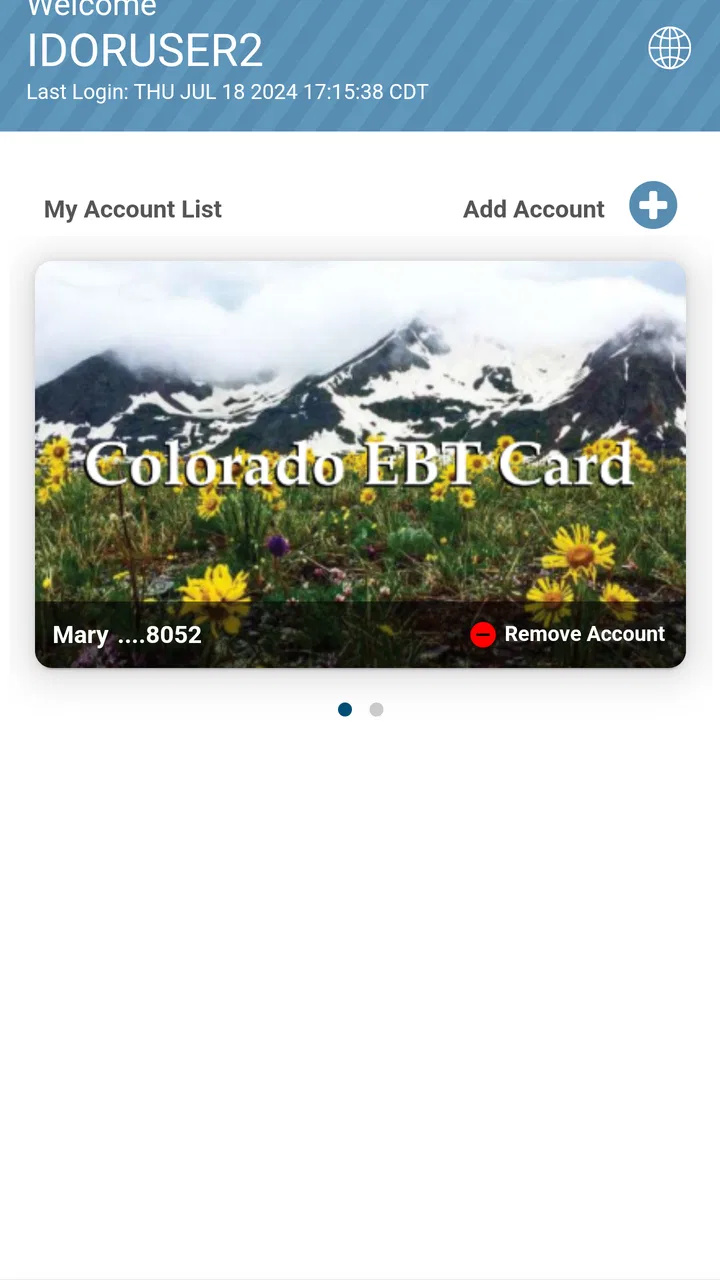
If you receive benefits through an Electronic Benefit Transfer card, checking your balance should not require guesswork at the checkout. I spent time using ebtEDGE as a practical finance app, and its main value is straightforward: it puts EBT balance information in a phone-based workflow instead of making you rely on a receipt, a store terminal, or a separate web session every time.
That narrow purpose is also the key to judging it fairly. This is not a budgeting app, a banking replacement, or a way to manage every part of your household finances. It is designed around EBT information, and I found it most useful when treated as a quick checking tool rather than as a complete money-management system. If that is the problem you need to solve, it can be convenient. If you want spending charts, bill reminders, savings goals, or a broad view of several accounts, you will probably need something else alongside it.
How I used it for everyday EBT checks
My basic routine with the app was simple. I opened it before shopping, checked the available balance, and used that figure to decide whether my planned purchases were realistic. That small pause is more useful than it sounds. When a grocery trip includes several essentials, knowing the balance before reaching the register can prevent an uncomfortable surprise and makes it easier to separate necessary items from things that can wait.
You May Also Like

 Blood Strike: 2.5 Anniversary
Blood Strike’s Loadouts Turn Every Drop Into a Tactical Gamble
A close look at Blood Strike’s custom loadouts: how fast access to signature weapons reshapes its battle royale rhythm, rewards preparation, and narrows the gap between fights.

 Pandora - Music & Podcasts
Pandora’s Music Is Easy to Start, but Harder to Recover
Pandora’s strength is its low-effort path from a seed to a station. Its weak spot is how much confidence it asks you to place in connection, setup, and quiet recovery.

 8 Ball Pool
 Is Built on Rivalries, Rematches, and Routine
A close look at the rivalries, rematches, shared routines, and unanswered safety questions that turn a quick pool match into a persistent mobile community.

 Samsung Music
’s Quiet Strength Is Playing What You Already Own
Its reach comes less from spectacle than from dependable access to a personal library. That simplicity is both the app’s strongest retention engine and its ceiling.

 AccuWeather: Weather Radar
AccuWeather Review: A Quick, Clear Forecast for Everyday Decisions
For everyday plans, the best forecast is the one you can understand quickly. AccuWeather makes rain timing, radar, and local conditions easy to act on, with a few trade-offs.

 Hill Climb Racing
Why Hill Climb Racing Still Turns Crashes Into One More Run
A tiny car, a bumpy hill and one more upgrade: Hill Climb Racing keeps resurfacing because its simple chaos makes every near-miss feel personal.
More From Our News Desk



The app works best when the check becomes a repeatable habit. I would not wait until I was already standing in line. A better pattern is to open ebtEDGE while making a shopping list, then check again after a purchase if I needed to keep track of what remained. The second check is especially helpful when the receipt is misplaced or when several transactions have happened close together.
One practical insight is that the app should be part of a small verification routine, not the only thing you trust automatically. I would compare the displayed balance with the most recent receipt when possible, particularly after a large shop or an unfamiliar transaction. That habit helps identify whether I am looking at the balance I intended to check and keeps the app from becoming a source of false confidence.
The audience is clear: people who use an EBT card and want mobile access to balance information. It can also be useful for a caregiver or family member who helps someone organize shopping, provided that person is allowed to access the relevant account. For a first-time user, the important expectation is modest but valuable: this app helps answer “how much is available?” It does not turn that answer into a full financial plan.
Because it is free and carries an Everyone content rating, it is easy to consider for a household where different people may need a simple balance-checking tool. The developer is Fidelity Information Services LLC, and the app has been available since September 4, 2018. Its current version is 4.5 and it supports devices running Android 5.0 or later, which makes it accessible to many older Android phones as well as newer models.
The right moment to open it
I found the most useful moment was before leaving for the store, not after loading a cart. That timing changes the app from an emergency lookup into a planning aid. I could make a list based on what I expected to have available, then avoid building a basket around an amount I had not checked.
Another good moment is after a transaction that feels different from the usual routine. For example, if a purchase is split between EBT and another payment method, checking the balance afterward gives me a clearer picture of what was actually deducted. I would still keep the receipt, but the app provides a convenient second reference.
There is also a useful “pause before repeating” habit. If I shop at more than one store in the same day, I would check the balance before the second trip rather than assuming the first purchase reduced it by the amount I estimated. That is a small discipline, yet it matters when several purchases are close together and the remaining balance is tight.
What it replaces, and what it does not
Compared with relying only on paper receipts, ebtEDGE is easier to consult when the receipt is lost or buried in a bag. Compared with asking a store terminal to reveal the balance, it lets me check before entering the store. Those are genuine advantages because they move the decision earlier in the shopping process.
It is less comparable to a conventional banking app than its finance category might suggest. A banking app usually brings together account history, transfers, alerts, and broader money tools. ebtEDGE is much more focused. I would choose it for EBT balance access, but I would not install it expecting a complete picture of rent, utilities, cash spending, or savings.
That distinction also explains why the app may feel limited to someone who wants more context. A balance is useful, but it does not automatically show how much of the month remains, what has already been allocated, or whether a planned purchase fits a larger household budget. I would pair it with a notebook, spreadsheet, or separate budgeting tool if those decisions matter to me.
Settings and habits that make the workflow smoother
With a focused app like this, the most valuable “settings” are often the choices I make around it rather than a long list of customization options. I would first make sure the app is installed on the phone I actually carry while shopping. That sounds obvious, but a balance tool loses much of its value when it lives on an old device left at home.
I would also check the sign-in details carefully during setup and avoid saving account information in a place other people can casually access. Since the app concerns benefit information, ordinary phone security matters. A screen lock, careful handling of the device, and signing out when using a shared phone are sensible habits. I do not treat a finance app as something to leave open on a kitchen table.
One of the more useful repeatable habits is to keep the app near the other tools used before shopping, such as a notes app or a list. I would not claim that ebtEDGE itself provides a shopping-list system; instead, I would organize my phone so that checking the balance and reviewing the list take only a few steps. That arrangement reduces the temptation to skip the check when I am in a hurry.
I would also pay attention to whether the displayed information appears current before making a major decision. If the app requires a fresh sign-in or takes a moment to load, I would allow time for that before reaching the register. The practical lesson is not to wait until the final minute. A tool that is useful before shopping can be frustrating if opened only when the cashier is waiting.
Experienced use is less about changing every available option and more about creating consistency. I would choose one regular time to check the balance, one place to keep the app on the phone, and one backup method for confirming a transaction. That combination is more dependable than opening the app randomly and trying to reconstruct several days of spending from memory.
A realistic shopping scenario
Imagine I am planning a grocery trip for dinner ingredients, breakfast items, and a few household staples. Before leaving, I open ebtEDGE and check the available balance. I then compare that amount with my list, remove anything nonessential if the total looks too close, and keep the list on my phone while shopping.
At the store, I avoid treating the balance as permission to spend every available unit. Prices can change, and the final total may not match my estimate. I leave a little room for that difference. After paying, I keep the receipt and check the app later, when I am no longer rushed. If the balance looks different from what I expected, I have two references to compare rather than relying on memory.
This workflow shows the app’s strongest role: it supports a decision before spending, then provides a convenient follow-up check. It does not calculate the shopping list for me, predict the final total, or explain every household trade-off. I still need those decisions to come from my own planning.
Shortcuts that save time without overcomplicating things
The fastest pattern is to check at predictable points: before shopping, after an unusually large purchase, and before another trip when the first transaction is still fresh. I would not open the app repeatedly throughout the day unless there is a specific reason. Frequent checking can become noise, while a few well-timed checks provide the information that actually changes my decision.
Another useful pattern is to record the balance in a simple note when planning several trips. I would label the note with the day and the purpose, then update or remove it after the next check. This is not a feature of ebtEDGE, and I would never mistake the note for an official record. Its value is that it helps me remember what I had planned without forcing the app to serve as a budgeting ledger.
If I help another person shop, I would agree on a clear routine before opening the account: who checks the balance, who keeps receipts, and how unexpected differences are handled. That avoids turning a simple app into a source of confusion between family members. The app can provide information, but the household still needs a shared process for acting on it.
I would also avoid building a workflow around screenshots as if they were permanent proof of the current balance. A screenshot can become outdated after a purchase. For planning, it may be useful; for a current decision, I would open the app again. This is one of the easiest mistakes to make with any balance-checking tool: treating a past view as if it were live information.
Where the app reaches its limits
The narrow focus is both the strength and the limitation. If I need to understand a full monthly budget, ebtEDGE will not replace a dedicated budgeting app. It is also not the right choice for someone looking for general banking functions or a single dashboard that combines multiple financial institutions.
I would skip it if I do not use an EBT card or if my main goal is tracking cash expenses. The app’s usefulness depends on that specific need. Installing it simply because it appears in the finance category would not make sense; its value is not broad financial education or account aggregation.
There is also a human limitation: the app cannot decide whether a purchase is wise for my household. A balance check tells me what appears available, but I still have to account for upcoming meals, transportation, other payment methods, and unexpected needs. I found it most reliable when I used it as one input in a plan rather than as the plan itself.
Older Android support is a practical advantage, but device compatibility alone does not guarantee a smooth experience on every phone. On an older handset, I would keep the operating system updated as far as the device allows and make sure there is enough room for normal app operation. I would also avoid testing the app for the first time on the way to an important shopping trip.
Privacy deserves a realistic mention too. Any app connected with financial or benefit information should be handled thoughtfully. I would use a personal device when possible, protect the phone, and be cautious about sharing login details. These are not reasons to reject ebtEDGE; they are the basic responsibilities that come with using a mobile account tool.
How it compares with the usual alternatives
The most common alternative is checking the balance on a receipt. That method is convenient immediately after a purchase, but it does not help me plan before leaving home, and receipts are easy to lose. ebtEDGE is better for advance planning and later reference, while the receipt remains useful as a transaction-specific record.
Another alternative is checking through a store terminal. That can work when I am already shopping, but it places the balance check inside a busy environment. I prefer ebtEDGE when I want to adjust my list calmly before going out. A terminal may still be useful as a backup when I cannot access the phone.
A phone call or web-based account method can be preferable for someone who does not want another app or who uses a device that cannot run it. On the other hand, the app is more convenient for a person who already keeps their phone nearby and wants a repeatable mobile routine. The best option depends less on which method is “most advanced” and more on which one I will actually use consistently.
Dedicated budgeting software is better when I need categories, forecasts, or a view across several accounts. I would not force ebtEDGE into that role. Its advantage is speed and focus, not depth. In my experience, using it beside a broader budget can make sense, but expecting it to replace that budget leads to disappointment.
What users should know before installing
The app is free, which removes the most obvious barrier to trying it. It has an average rating of 3.7 from around eight thousand ratings, with roughly three and a half thousand written reviews, and it has passed one million installs. Those figures suggest that it has reached a substantial audience, while the middling average is a reminder to keep expectations practical rather than assuming every phone and account experience will feel identical.
I would install it when the need is specific: I want a mobile way to check EBT balance information and I am comfortable managing that information on my phone. I would not install it as a general-purpose finance hub. That decision alone prevents most of the mismatch between what the app offers and what a user expects.
For a new user, I would set aside a few minutes for the initial account process rather than trying to rush through it in a store. Once the app is ready, I would perform a test check at home, confirm that I understand where the balance appears, and decide how I will use receipts as a secondary reference. That preparation makes the first real shopping trip less stressful.
If the app does not fit my routine, I would return to the official alternative that feels most dependable for me, whether that is a receipt, a terminal, or another account-access method. Convenience matters only when it improves consistency. A theoretically quick app that I cannot comfortably use is less valuable than a slower method I remember to use every time.
The best way to use ebtEDGE is as a calm pre-shopping checkpoint, not as a complete financial command center. That framing captures both its usefulness and its boundaries. It can help me make a better-informed shopping decision, but it cannot replace receipts, household planning, or sensible account security.
My final assessment after building a routine
After using it in that focused way, I see ebtEDGE as a practical tool for people who regularly need EBT balance information on a mobile device. Its strongest feature is not a complicated set of financial controls; it is the ability to move a balance check to the moment when it is most useful, before I commit to a shopping trip.
I especially like the repeatable workflow: check before making the list final, leave room for price changes, keep the receipt, and check again when a transaction needs confirmation. Those habits add more value than simply opening the app without a plan. They also make the app easier to judge because I can tell whether it is genuinely helping my decisions.
My reservations are equally clear. The experience is limited if I want budgeting tools, broad account management, or detailed spending analysis. I would also keep a backup method available and avoid relying on an old screenshot or memory when the balance matters. Those are manageable limitations, but they should be understood before installation.
Overall, I would recommend ebtEDGE to an EBT user who wants a free, focused mobile balance-checking option and is willing to build it into a consistent shopping routine. I would recommend a broader finance app instead to someone seeking a complete household money dashboard. For the narrower job it is meant to handle, the app makes a useful difference precisely because it keeps that job simple.
FAQs for ebtEDGE
01What is ebtEDGE and what does it do?
ebtEDGE is a mobile application designed to help users manage their Electronic Benefits Transfer (EBT) accounts. It provides features such as checking your account balance, viewing transaction history, and finding nearby retailers that accept EBT. The app aims to simplify the process of managing benefits on the go.
02Is the ebtEDGE app secure to use for my personal information?
Yes, the ebtEDGE app uses secure encryption protocols to protect your personal and financial information. It requires a secure login, and all transactions are encrypted to ensure that your data remains safe. It's important to download the app from official sources to maintain security.
03Can I use ebtEDGE on both Android and iOS devices?
Yes, ebtEDGE is available for both Android and iOS devices. You can download it from the Google Play Store for Android devices and the Apple App Store for iOS devices. Ensure your device meets the minimum system requirements for optimal performance.
04What features are available in the ebtEDGE app?
The ebtEDGE app offers several features, including balance checking, transaction history, and the ability to find nearby stores that accept EBT. It also provides notifications for account activity and allows users to manage multiple accounts, making it a comprehensive tool for EBT users.
05Are there any costs associated with using the ebtEDGE app?
The ebtEDGE app is free to download and use. There are no hidden fees for accessing your account information or using the app’s features. However, standard data charges from your mobile carrier may apply if you are not connected to Wi-Fi while using the app.
Pros
- User-friendly interface for easy navigation.
- Real-time balance updates and transaction history.
- Secure login with biometric options.
- Supports multiple languages for accessibility.
- Notifications for important account updates.
Cons
- Limited features compared to full website.
- Occasional slow response times.
- Requires stable internet connection.
- No offline access to transaction history.
- Limited customer support options in-app.

ebtEDGE
Gallery